
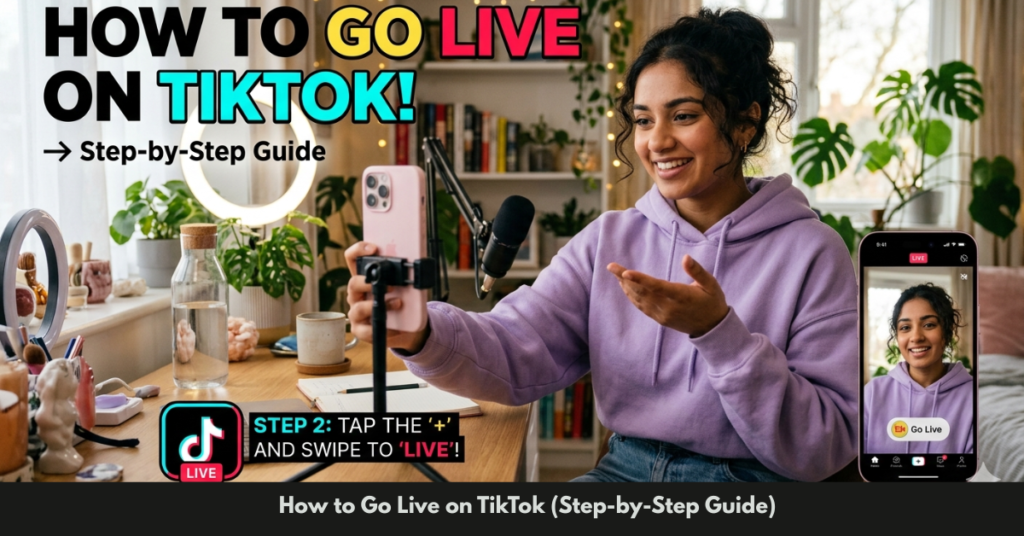

Going live is one of the fastest ways to grow your audience and build real-time engagement on TikTok. If you’ve been wondering how to go live on TikTok, you’re not alone—millions of users are searching for simple, clear steps to get started.
In this guide, I’ll walk you through everything you need to know—from requirements and setup to going live on your phone or PC. Whether you’re a beginner or trying to unlock new features, this article will give you a practical, step-by-step approach.
What Does “Going Live on TikTok” Mean?
Going live allows you to broadcast video in real-time to your followers. Unlike regular posts, live streams are interactive—you can:
- Talk directly with viewers
- Answer questions instantly
- Receive gifts and tips
- Build stronger audience connections
It’s one of the most powerful tools for creators who want faster growth.
TikTok Live Requirements (What You Need First)
Before learning how to go live on TikTok step by step, you need to meet a few conditions:
Basic Requirements:
- Be at least 16 years old
- Have at least 1,000 followers
- Follow TikTok’s community guidelines
Extra Monetization Requirement:
- You must be 18+ to receive gifts during live streams
If you don’t see the “LIVE” option, it usually means you haven’t met one of these requirements yet.
How to Go Live on TikTok (Step-by-Step Guide)
Here’s the simplest way to start a live stream from your phone:
Step-by-Step Process:
- Open the TikTok app
- Tap the “+” (Create) button
- Swipe to the LIVE option
- Add a catchy title for your stream
- Tap Go LIVE
That’s it—you’re now broadcasting.
Pro Tip:
Your title matters. Use something engaging like:
- “Live Q&A Ask Me Anything”
- “Watch Me Build This in Real Time”
How to Go Live on TikTok on Phone
Most users go live directly from their smartphones because it’s quick and convenient.
Tips for Better Phone Streaming:
- Use good lighting (natural light works best)
- Keep your camera stable
- Ensure strong internet connection
- Avoid background noise
If you’re in regions like Pakistan, this method works the same. There’s no major restriction on how to go live on TikTok in Pakistan, as long as your account meets the requirements.
How to Go Live on TikTok on PC / Computer
Streaming from a PC gives you more control, especially if you’re gaming or presenting.
Option 1: TikTok Live Studio
TikTok offers its own streaming software called TikTok Live Studio (available for selected users).
Option 2: Using Streaming Software
You can also use tools like OBS Studio.
Steps to Go Live from PC:
- Download and install OBS Studio
- Get your TikTok stream key (if available)
- Set up your camera, mic, and scenes in OBS
- Connect OBS to TikTok
- Start streaming
This is the best method for:
- Gamers
- Educators
- Professional creators
How to Go Live on TikTok with OBS
If you want advanced control, OBS is the go-to option.
What You Can Do with OBS:
- Add overlays and graphics
- Switch between multiple scenes
- Stream gameplay or tutorials
- Improve audio/video quality
Quick Setup:
- Open OBS
- Add sources (camera, screen, mic)
- Enter stream key from TikTok
- Click “Start Streaming”
How to Go Live on TikTok Without 1000 Followers
This is one of the most searched questions.
Reality Check:
TikTok officially requires 1,000 followers.
Possible Workarounds:
- Contact TikTok support and request LIVE access
- Join as a guest in someone else’s live stream
- Focus on growing followers quickly through viral content
Be cautious of hacks or fake methods—they usually don’t work or may risk your account.
How to Go Live on TikTok for Free
Good news—going live is completely free.
You don’t need:
- Paid tools
- Subscriptions
- Premium features
Just use your phone or free software like OBS, and you’re ready to stream.
Tips to Make Your TikTok Live Successful
Going live is easy—keeping viewers engaged is the real challenge.
Best Practices:
- Go live consistently (same time daily)
- Interact with comments actively
- Use trending topics or challenges
- Keep sessions focused (don’t ramble)
- Promote your live beforehand
Engagement Boosters:
- Ask questions
- Run mini giveaways
- Collaborate with other creators
Common Mistakes to Avoid
- Starting live without a clear topic
- Poor lighting or audio
- Ignoring viewer comments
- Ending streams too quickly
- Not promoting your live session
FAQs
1. Why can’t I go live on TikTok?
You likely don’t meet the requirements, especially the 1,000 follower minimum or age limit.
2. Can I go live on TikTok from PC?
Yes, you can use TikTok Live Studio or OBS to stream from your computer.
3. How long should a TikTok live be?
Aim for at least 30–60 minutes for better engagement and reach.
4. Can I go live without followers?
Not officially. You need 1,000 followers, but you can join others’ live streams as a guest.
5. Is TikTok live available in Pakistan?
Yes, TikTok Live is available in Pakistan if your account meets the requirements.
6. Do I need special equipment?
No, but a good camera, mic, and lighting can improve your stream quality.
Conclusion
Learning how to go live on TikTok isn’t complicated—it just requires meeting a few basic requirements and following a simple setup process. Whether you’re streaming from your phone or using advanced tools like OBS on a PC, the opportunity to connect with your audience in real time is huge.
Start small, stay consistent, and focus on engaging your viewers. Once you get comfortable, live streaming can become one of your most powerful growth tools on TikTok.